Why Small Businesses Should Use VoIP: Lower Costs and Smarter Phone Features
VoIP can lower phone costs while giving small businesses professional call routing, mobile apps, voicemail transcription, business texting, analytics, and room to grow.
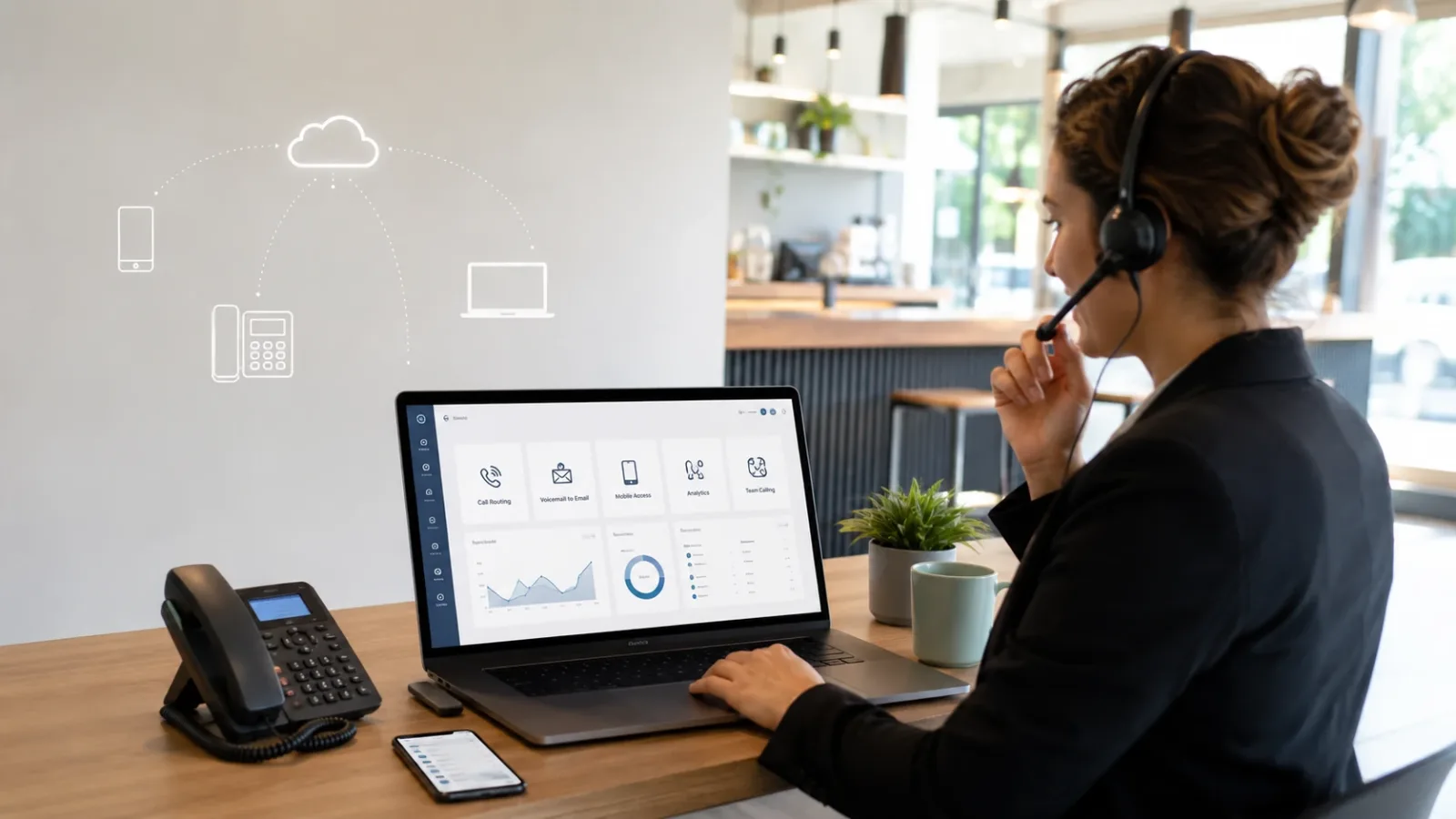
A business phone system should do more than make the desk phone ring. It should help customers reach the right person, keep calls moving when employees are away from the office, and make the business sound organized without requiring an expensive on-site phone cabinet.
Voice over Internet Protocol, usually called VoIP, carries phone calls through an internet connection rather than relying entirely on traditional copper phone lines. For many small businesses, that means a lower-cost and more flexible phone system with features that were once limited to larger companies.
Why VoIP can cost less
Traditional business phone systems may involve separate telephone lines, proprietary hardware, service contracts, and costly changes whenever an extension or location is added. A cloud-based VoIP system can reduce some of that overhead by using the internet connection and network equipment the business already maintains.
Depending on the provider, a business may choose a predictable per-user plan or a pay-as-you-go service based on phone numbers and call usage. Employees can often use desk phones, desktop applications, mobile apps, or a combination of all three. That can reduce the need to purchase a physical phone for every user.
Cost savings are not automatic, however. A fair comparison should include phone hardware, taxes and regulatory fees, emergency calling, toll-free usage, business texting registration, number porting, installation, internet upgrades, and backup connectivity. The best system is the one that lowers the total cost while still being dependable.
Make a small business sound organized
One of the most useful VoIP features is an auto attendant, sometimes called a digital receptionist or phone menu. It can answer with a professional greeting and direct callers to departments, employees, recorded information, or voicemail.
A business might offer options such as:
- Press 1 for store hours and directions
- Press 2 for sales or reservations
- Press 3 for billing
- Press 0 to speak with a team member
The menu can change based on business hours, holidays, or special events. After-hours calls can play a different greeting, provide important information, route urgent calls to an on-call employee, or send routine calls to voicemail.
Ring the right people instead of one phone
VoIP systems can use ring groups and call queues so customers are not dependent on one person answering one phone. A call can ring several employees at once, move through employees in order, or wait in a queue until someone becomes available.
Overflow rules can send unanswered calls to another location, a manager, an answering service, or voicemail. This is useful for restaurants, retail stores, service companies, medical offices, farms, professional offices, and any business where employees regularly move between a counter, shop, vehicle, or job site.
Take the business number anywhere
A VoIP number is not necessarily tied to one physical desk. Employees can often make and receive business calls through a mobile or desktop app while presenting the company caller ID instead of a personal number.
That can help owners and staff:
- Answer calls from home, a job site, or another location
- Transfer calls between employees without giving out personal numbers
- Use the same extension on a desk phone, computer, and smartphone
- Keep business calls separate from personal calls
- Continue receiving calls when the office is temporarily inaccessible
This flexibility can also make hiring and expansion easier because a new employee or location does not always require a new traditional phone line.
Turn voicemail into something useful
Modern VoIP systems can send voicemail recordings to email, transcribe messages into text, and make them available in a mobile or desktop app. Instead of checking a blinking light on one phone, an employee can review the message wherever they are working.
Shared voicemail boxes can also keep messages from being trapped with one employee. Sales, service, billing, or general information messages can be available to the appropriate team.
Use business texting from the company number
Many VoIP providers support SMS or MMS messaging from a business number. This can be useful for appointment reminders, arrival notices, simple customer questions, service updates, or follow-up messages.
Business texting must be configured properly. Providers and mobile carriers may require brand and campaign registration, and businesses should obtain appropriate consent before sending marketing or automated messages. VoIP is not a shortcut around texting rules.
See what is happening with calls
Call logs and analytics can show when customers call, how many calls go unanswered, how long callers wait, and which routes or extensions handle the most activity. That information can help a business adjust staffing, business hours, call menus, and follow-up procedures.
Some systems can also connect calls with a customer relationship management platform, help desk, scheduling tool, or other business software. More advanced services may offer call summaries, searchable transcripts, or AI-assisted reception features.
Keep your existing phone number
In many cases, a business can port its existing telephone number to a VoIP provider. Customers continue calling the number they already know while the technology behind it changes.
Number porting should be planned carefully. The old service should usually remain active until the port is complete, and every important call route, voicemail box, emergency location, and device should be tested before the old account is cancelled.
Examples of VoIP providers
There is no single provider that is best for every small business. Examples of commonly considered services include:
- RingCentral and Nextiva for broad business-phone and unified-communications features
- Zoom Phone for organizations already using Zoom or wanting a cloud phone system tied to its communications platform
- Microsoft Teams Phone for businesses that want calling integrated with Microsoft Teams and Microsoft 365
- Google Voice for businesses that prefer a straightforward service connected to Google Workspace
- VoIP.ms for flexible, usage-based service and detailed control over phone numbers, call routing, and SIP devices
These are examples rather than endorsements. Features, prices, support levels, contracts, emergency-calling options, and texting capabilities can change. The right choice depends on call volume, number of users, locations, integrations, support expectations, and how much configuration the business wants to manage.
VoIP still depends on a reliable network
Because VoIP uses the internet and local network, call quality depends on more than the phone provider. Weak Wi-Fi, an overloaded router, poor cabling, insufficient bandwidth, or an unstable internet connection can create delays, dropped calls, or distorted audio.
A dependable installation may include:
- Business-grade routing, switching, and Wi-Fi
- Power over Ethernet for compatible desk phones
- Quality of Service settings that prioritize voice traffic
- Battery backup for the modem, router, switch, and phones
- A secondary internet or cellular failover option
- Accurate emergency-service addresses for every location
Businesses should also review equipment that may not work like a normal voice call, including fax machines, alarm panels, elevator phones, gate systems, credit-card terminals, and older analog devices. Some require an adapter, a specialized service, or a separate line.
Features worth considering
When comparing systems, ask whether the business needs:
- Auto attendants and multi-level phone menus
- Business-hours, holiday, and after-hours routing
- Ring groups, queues, and overflow rules
- Voicemail-to-email and transcription
- Mobile and desktop applications
- Business SMS and MMS
- Local or toll-free numbers
- Call recording, with appropriate notice and legal review
- Call reports and analytics
- CRM, help-desk, or Microsoft Teams integrations
- Multiple locations and remote employees
- Internet failover and continuity planning
Patriot Tech Heroes can help build the right system
Patriot Tech Heroes helps small businesses evaluate and implement VoIP phone systems without forcing every company into the same provider or package. We can help compare options, plan number porting, configure desk phones and mobile apps, build auto attendants and call routes, set up voicemail and business hours, and verify that the network is ready for reliable calls.
If your current phone system is expensive, difficult to change, or missing calls when employees step away from the desk, contact Patriot Tech Heroes. We can review how your business actually handles calls and design a practical VoIP setup around it.